
Key takeaways:
- The right DevOps automation tools can turn chaotic, unpredictable releases into reliable, fast-moving delivery pipelines.
- Smart automation enhances speed, quality, and operational efficiency.
- Tool selection should align with business goals and DevOps maturity, not trends.
- Over-automation and poor tool alignment create complexity rather than eliminating it.
- A well-implemented DevOps automation ecosystem drives measurable, sustainable business growth.
Introduction
In today’s fast-moving digital world, businesses are expected to deliver faster updates, maintain flawless performance, and offer smooth experiences across every device. But as operations grow, things become more complex: development cycles get shorter, cloud environments expand, and systems become harder to manage manually. That’s when it becomes clear that relying on traditional processes is no longer enough. DevOps automation is what helps businesses stay ahead. With the right automation, you can deploy updates quickly and safely, spot issues before they impact customers, maintain consistent environments across development, testing, and production, reduce manual tasks and errors, and scale infrastructure effortlessly.
The challenge, however, is choosing the right tools from an endless list CI/CD, IaC, monitoring, security, orchestration, AI-driven operations, and more. Many companies end up using too many tools, duplicating functionality, increasing costs, and creating workflows that are hard for teams to manage. That’s why selecting the right automation tools not just the trendy ones is crucial for long-term success. This guide will help you understand the DevOps automation landscape, identify what you truly need to automate, evaluate tools based on your business maturity, avoid common pitfalls, build a scalable automation foundation, and ultimately choose solutions that support your business goals, not complicate them.
The Real Question: What Are You Trying to Automate and Why?
Most automation failures don’t happen because the tools are bad they happen because organizations start automating without understanding what truly needs improvement. Many teams pick tools just because they’re trending, widely recommended, or preferred by certain engineers. But automation without a clear purpose quickly leads to redundant workflows, low adoption, rising costs, and operational chaos. The result? You invest time and money, but nothing really improves.
That’s why successful DevOps automation always begins with clarity. You need to identify exactly what problem you’re solving and why it matters for the business.
Why Automation Fails Without Clarity
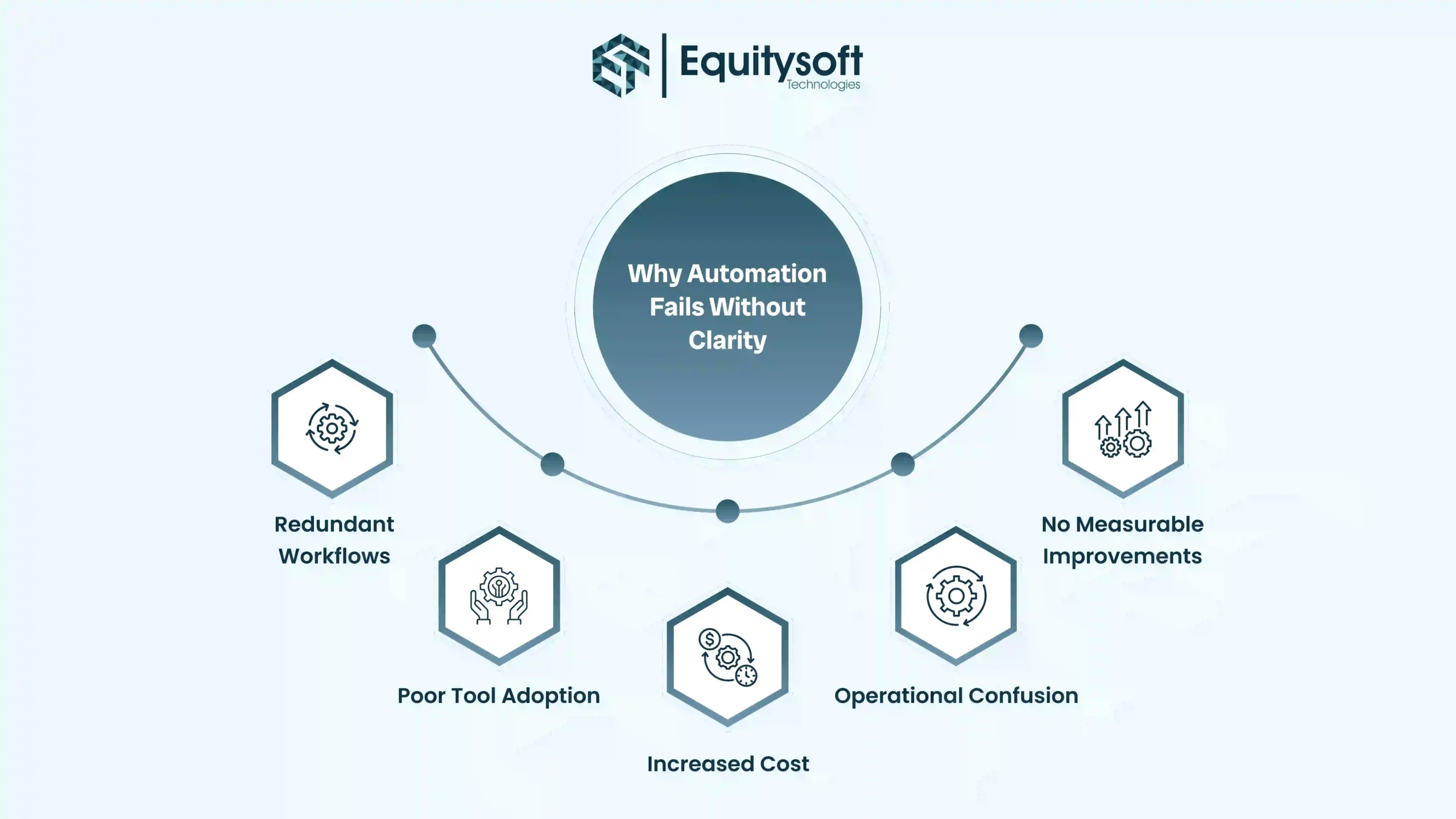
A lack of direction causes the following issues:
- Redundant Workflows: When teams add tools without understanding their function, they often end up with multiple tools doing the same job two CI/CD pipelines, two monitoring tools, two IaC frameworks. This creates duplication, confusion, and maintenance overhead.
- Poor Tool Adoption: If a tool doesn’t clearly solve the team’s pain point, no one feels motivated to use it. It becomes “installed” but not “implemented,” leading to wasted subscriptions and skill gaps.
- Increased Cost: Unnecessary tools increase licensing fees, infrastructure bills, training investments, and operational maintenance costs.
- Operational Confusion: More tools mean more dashboards, alerts, pipelines, and logs. When no one knows what to use for what, incidents take longer to resolve.
- No Measurable Improvements: Automation should make things faster, safer, and more efficient. Without a defined goal, you can’t track success and most companies see no real ROI.
Understanding the DevOps Automation Landscape
DevOps automation covers every stage of the software lifecycle development, deployment, monitoring, security, and even predictive operations. To choose the right tools, you need a clear understanding of how each automation layer supports your delivery pipeline. Instead of adding tools blindly, the goal is to build a cohesive ecosystem where each tool solves a specific problem and enhances overall efficiency. Below is a simplified yet complete breakdown of the DevOps automation landscape and how each category plays a role in creating a high-performing engineering environment.
1. CI/CD Automation Speed, Reliability & Continuous Delivery
CI/CD (Continuous Integration and Continuous Delivery) forms the foundation of modern DevOps. It automates the process of taking code from development to production ensuring every build, test, and deployment is fast, consistent, and reliable.
What CI/CD Tools Automate
- Code compilation and builds
- Automated testing (unit, integration, functional)
- Quality checks using static code analysis
- Security scanning to catch vulnerabilities early
- Automatic deployment to staging, QA, and production
- Rollback processes in case of failures
Why CI/CD Tools Matter
CI/CD drastically improves development workflows by eliminating manual steps that cause delays or errors. It solves major challenges such as:
- Slow and inconsistent releases
- Frequent deployment failures and rollbacks
- “It works on my machine” issues
- Human errors in configuration or deployment steps
- Lack of visibility into build, test, and deployment stages
Popular CI/CD Tools
- GitHub Actions simple automation for teams using GitHub
- GitLab CI/CD tightly integrated with GitLab repositories
- Jenkins highly customizable, backed by thousands of plugins
- CircleCI optimized for cloud-native pipelines
- Azure DevOps Pipelines ideal for enterprise-scale workflows
When to Prioritize CI/CD
- Release cycles are slow or unpredictable
- Testing is mostly manual
- Deployments frequently break environments
- Your team lacks rollback or version control in deployments
For almost every organization starting its DevOps journey, CI/CD is the first and most crucial automation step.
2. Infrastructure as Code (IaC) Reproducible, Consistent Environments
Infrastructure as Code (IaC) lets teams manage servers, networks, databases, and cloud resources using code rather than manual tasks. This ensures every environment from development to production is consistent and reproducible.
Benefits of IaC
- Environment consistency: Prevents configuration drift across dev, QA, staging, and production
- Faster provisioning: Deploy entire infrastructure in minutes
- Better compliance: Everything is version-controlled for auditing
- Rollback capabilities: Restore previous environment states instantly
- Multi-cloud flexibility: Deploy infrastructure across AWS, Azure, GCP, and hybrid setups
Popular IaC Tools
- Terraform cloud-agnostic, modular, and widely adopted
- Ansible focus on configuration automation and orchestration
- AWS CloudFormation native infrastructure templates for AWS
- Pulumi allows IaC using programming languages like TypeScript, Python, and Go
When IaC Should Be Your Priority
You need IaC if:
- Environments frequently behave differently
- You deploy resources across multiple regions or clouds
- Manual provisioning consumes development time
- Cloud bills keep rising due to unused or misconfigured resources
IaC is essential for teams adopting cloud-native architectures or scaling rapidly.
3. Monitoring & Observability Visibility Drives Stability
Monitoring shows what happened, while observability shows why it happened. Together, they give full visibility into system behavior.
What Monitoring & Observability Tools Help With
- Detecting issues early, before users notice them
- Understanding system behavior under load
- Performing root-cause analysis faster
- Tracking application performance trends
- Improving user experience through real-time insights
As systems grow more distributed, especially with microservices, observability becomes critical for stability.
Popular Monitoring Tools
- Prometheus metrics collection and alerting
- Grafana visual dashboards and analytics
- Datadog complete cloud observability in one platform
- Splunk enterprise-grade log management
- New Relic APM (Application Performance Monitoring) for deep insights
When to Prioritize Monitoring
Monitoring becomes urgent when:
- You lack real-time visibility into your systems
- Outages take too long to diagnose
- Logs, metrics, and traces aren’t centralized
- Decisions rely on guesswork instead of data
Without proper observability, even small issues can escalate into major incidents.
4. Security & Compliance Automation Security That Scales
As teams accelerate development, security cannot remain a manual checkpoint. DevSecOps integrates security throughout the pipeline, ensuring that vulnerabilities are caught early and compliance becomes continuous.
What Security Automation Solves
- Late discovery of vulnerabilities that delay releases
- Hardcoded secrets that expose applications to risk
- Manual penetration testing slowing down delivery
- Compliance challenges with audits and standards
Key Security Tools
- Snyk scans code, containers, and dependencies
- Aqua Security protects cloud-native workloads
- SonarQube automates code quality and security analysis
- HashiCorp Vault secure secrets and credential management
When to Prioritize Security Automation
Security automation becomes crucial if:
- You handle sensitive customer or financial data
- You follow compliance standards like SOC2, PCI, HIPAA, ISO, GDPR
- Security reviews delay your release cycles
Security must scale with development automation ensures it does.
5. AI-Powered Automation & AIOps Predict, Prevent, Resolve
AIOps brings intelligence into operations by using machine learning to analyze massive volumes of logs, metrics, events, and alerts. Instead of reacting to incidents, teams can predict and prevent them.
How AIOps Helps
- Predict potential outages before they impact users
- Automatically detect unusual patterns and anomalies
- Reduce alert fatigue by merging duplicate or low-priority alerts
- Speed up root-cause analysis using ML insights
- Improve mean time to recovery (MTTR) significantly
AIOps is ideal for complex, high-scale environments where traditional monitoring can’t keep up.
Leading AIOps Tools
- Dynatrace AI-powered full-stack observability
- Moogsoft intelligent alert correlation
- BigPanda automated incident response
- IBM AIOps enterprise-grade automation
When AIOps Becomes Essential
AIOps is needed when:
- Your systems generate huge volumes of events or logs
- Teams spend too much time on manual troubleshooting
- You want proactive, not reactive, operations
AIOps brings automation to the next level, turning raw data into meaningful, actionable insights.
Key Evaluation Factors Before Selecting DevOps Tools
Selecting DevOps tools isn’t about choosing what’s popular it’s about choosing what aligns with your engineering needs, business goals, and long-term scalability. A strategic approach prevents wasted time, avoids tool overload, and ensures smooth adoption across teams. Below are the most critical criteria every organization should evaluate before finalizing any automation tool.
- Integration with Your Existing Tech Stack: A DevOps tool must fit seamlessly into your current architecture. It should integrate smoothly with your cloud provider, repositories, project management tools, container platforms, and existing workflows. Poor integration leads to manual workarounds, broken pipelines, and operational inefficiencies. Tools that work cohesively with your ecosystem always deliver higher ROI.
- Scalability & Multi-Team Support: Your automation setup must support the growth of your organization. The right tool should scale across multiple environments, clusters, microservices, and distributed teams without performance issues. As your infrastructure grows the tool should adapt effortlessly.
- Security & Compliance Alignment: Every tool you adopt must align with your industry’s security standards and regulatory requirements. Whether you operate in finance, healthcare, insurance, or e-commerce, your DevOps automation must support compliance frameworks like SOC2, ISO 27001, PCI DSS, GDPR, HIPAA, etc.
- Automation Depth: Not all tools automate the same level of complexity. Some offer end-to-end pipeline automation, from code commit to production deployment. Others automate just one layer testing, provisioning, or scaling. Your selection should match your DevOps maturity level.
- Cost-to-Value Ratio: Consider licensing costs, training investments, infrastructure usage, and long-term operational overhead. Prioritize tools that improve velocity, reliability, and productivity without draining budgets.
- Ecosystem & Community Support: Tools with strong communities evolve faster, have richer integrations, and offer quicker support. An active ecosystem ensures regular updates, plugin availability, documented best practices, and troubleshooting help.
DevOps Automation Tools Businesses Need to Know
Below is a categorized overview of essential tools every organization should be familiar with representing the core automation technology across the DevOps lifecycle.
The Decision Matrix: Match Tools to DevOps Maturity
Every organization falls into one of four DevOps maturity stages. Your stage determines your priorities and the tools you should adopt.
Stage 1 Foundation
Focus Areas: CI/CD, version control, basic monitoring
Primary Goal: Stability
At this stage, teams establish strong fundamentals, automated builds, reliable deployments, and visibility into system health. The goal is to eliminate manual errors and enable predictable delivery.
Stage 2 Expansion
Focus Areas: IaC, container orchestration, enhanced monitoring
Primary Goal: Scalability
Growing organizations must scale their environments, automate server provisioning, and improve deployment consistency across clouds and regions.
Stage 3 Optimization
Focus Areas: Observability, DevSecOps, SRE practices
Primary Goal: Reliability
Stage 4 Intelligence
Focus Areas: AIOps, predictive analytics, automated remediation
Primary Goal: Autonomous operations
In the highest maturity stage, organizations adopt intelligent automation that predicts issues, self-heals services, and optimizes infrastructure automatically.
Build a smarter DevOps pipeline today!
Consult with our automation experts to assess your workflow and select the optimal DevOps tools tailored to your specific business needs.

Common Pitfalls When Choosing Automation Tools
Even with good intentions, many organizations make mistakes when adopting DevOps tools. Avoiding these pitfalls saves significant time, money, and operational friction.
- Choosing Tools Before Fixing Processes: Tools amplify the efficiency of your processes whether good or bad. If your workflows are chaotic, automation will only create faster chaos. Fix the process, then automate it.
- Over-Automation: More automation isn’t always better. Too many tools create complexity, fragmented workflows, and steep learning curves. Focus on essential automation that drives measurable value.
- Ignoring Team Skillsets: Even the best tool fails if your team cannot use it effectively. Always consider training needs, learning curve, and team readiness before switching or onboarding new tools.
- No Measurement or ROI Tracking: Automation must deliver outcomes faster releases, fewer incidents, reduced costs, better reliability. Without KPIs or ROI tracking, you cannot measure success or justify the investment.
Why Equitysoft Technologies Is the Right DevOps Automation Partner
At Equitysoft Technologies, we don’t just implement DevOps tools we build automation systems that make your releases faster, your infrastructure more reliable, and your teams more productive. We start by identifying your real challenges and design automation that fits your cloud environment, workflows, and business goals.
Our pipelines come with built-in security, compliance alignment, monitoring, and zero-downtime deployment practices. And we stay with you beyond implementation, continuously optimizing performance, reducing outages, and improving delivery speed as your business scales.
With Equitysoft, you get a DevOps setup that’s streamlined, secure, and ready for future growth without complexity or disruption.
Frequently Asked Questions
Get answers to common questions about AI in eCommerce